Content
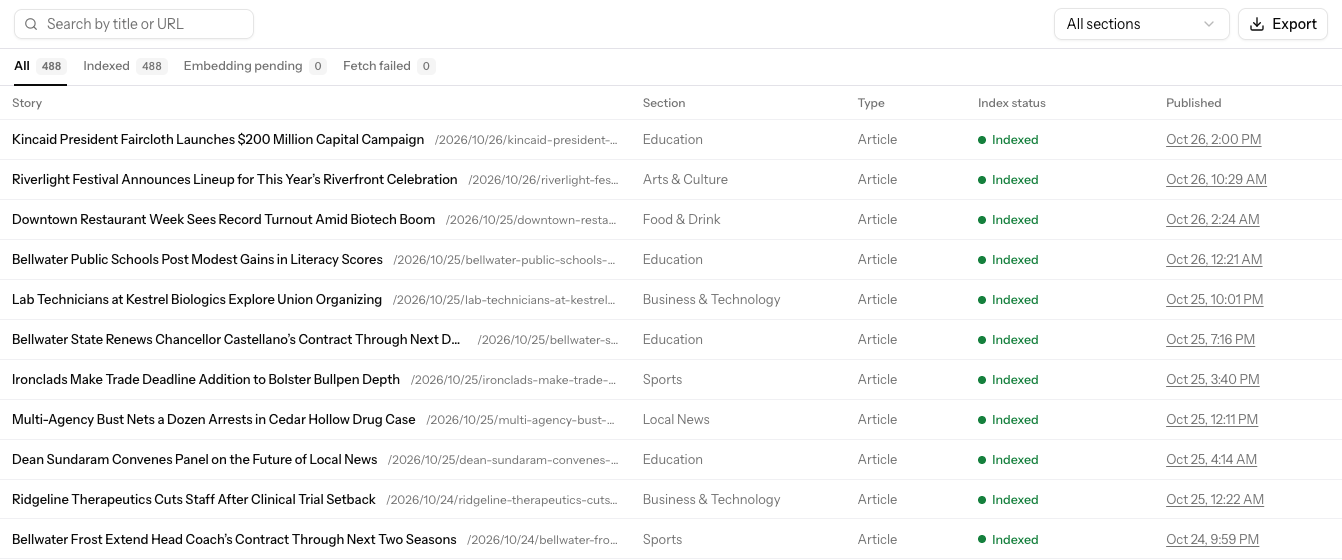
Content lists every page Allegro has cataloged from your site, newest first. Allegro uses the catalog to put titles, sections, and authors on Analytics and to choose stories for recommendations. Open it from Content in the sidebar.
How stories get into the catalog
You don't add stories by hand. A story appears in the catalog within about a minute of its first page view, once the Allegro SDK reports it. Allegro then reads the page and indexes it for recommendations.
Finding stories
- Search by title or URL, then press Enter.
- Pick a section from All sections to see just that section.
- Use the status tabs to see stories at each stage of indexing.
Click a story's title to open its story view in Analytics.
| Column | What it shows |
|---|---|
| Story | The title and path. |
| Section | The section the page belongs to. |
| Type | The content type, such as Article. |
| Index status | Whether the story is ready for recommendations. |
| Published | When the story was published. |
Index status
| Status | Meaning |
|---|---|
| Indexed | Allegro has read the story and it can be recommended. |
| Embedding pending | Allegro has read the story and is still preparing it for recommendations. |
| Fetch failed | Allegro couldn't read the page. Check that the URL loads publicly and isn't blocked. |
A story that isn't indexed still shows up in Analytics; it just can't be recommended yet.
Exporting the catalog
Click Export to download a CSV of every story matching your current search, section, and status. The file includes the title, path, section, type, published date, and index status of each story.
Related
- Engines — Configure how recommendations are chosen
- Recommendation Explorer — Try out what a reader would be recommended
- Story view — How one story performed