Recommendation Engines
A recommendation engine decides which stories a recommendation placement on your site shows. Each engine blends a few signals with its own weights, so you can run a personal "for you" rail in one spot and a mostly trending rail in another. Open them from Content → Engines in the sidebar.
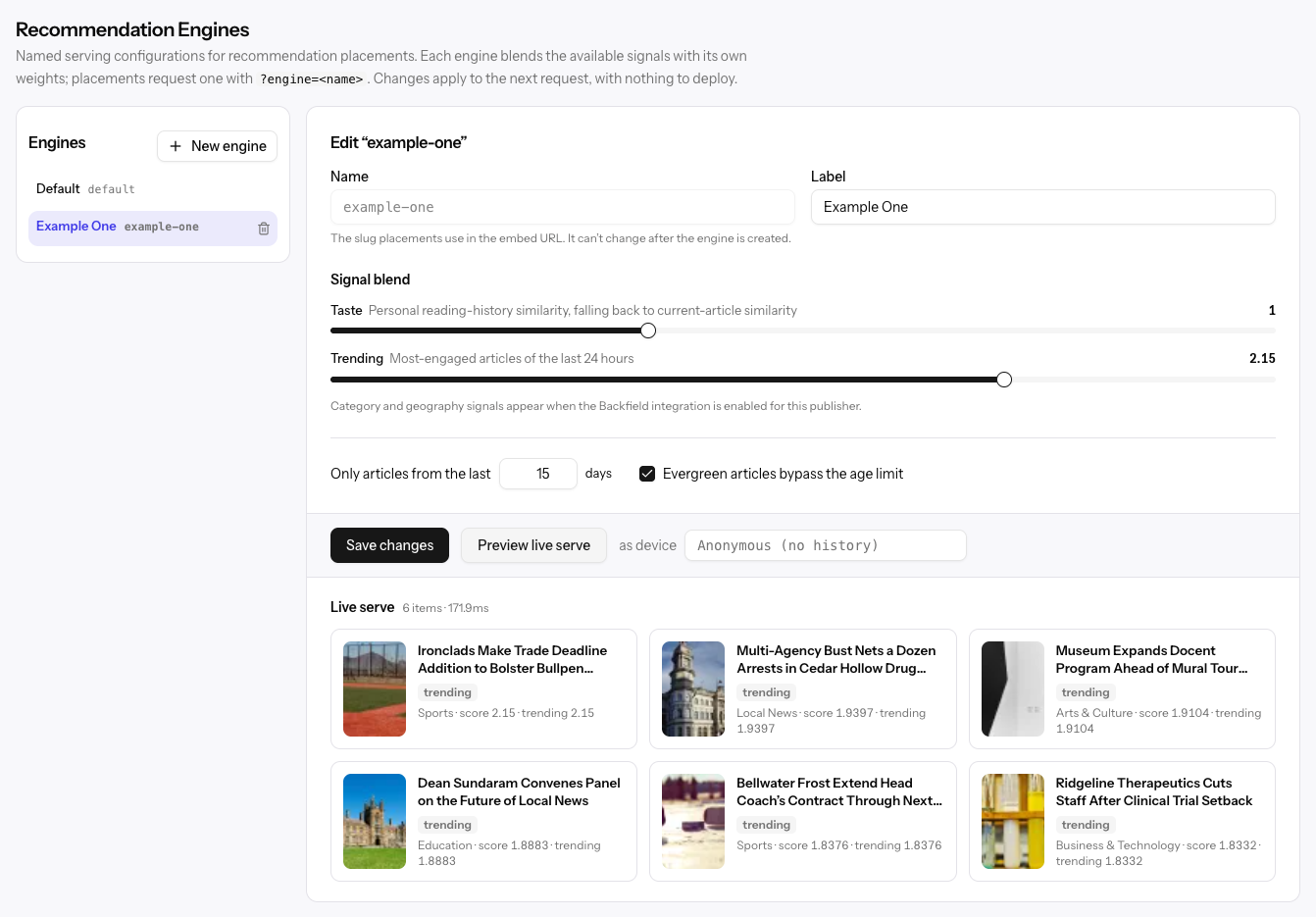
Changes apply to the next recommendation request, with nothing to deploy.
The default engine
Every organization has a built-in Default engine. Placements that don't ask for a specific engine use it. You can open it to see its settings, but you can't change or delete it.
Creating an engine
Admins and members can click New engine. Viewers can open engines but not change them.
| Field | What it sets |
|---|---|
| Name | The engine's ID, such as news-rail. Use lowercase letters, numbers, and dashes, starting with a letter. You can't change it after the engine is created. |
| Label | A friendly name shown in Allegro, such as News rail. |
Give your developers the engine's name: a placement asks for an engine by name, and falls back to the default engine if the name doesn't exist.
Signal blend
Each signal has a slider. A higher weight gives that signal more say in which stories win; set a weight to 0 to turn the signal off. At least one weight must be above 0.
| Signal | What it favors |
|---|---|
| Taste | Stories like the ones this reader has read before. For a reader with no history, stories like the one they're on. |
| Trending | The most-engaged stories of the last 24 hours. |
| Categories | Stories in the categories this reader tends to read. |
| Geography | Stories set in the places this reader tends to read about. |
New engines start with Taste at 1 and Trending at 0.25.
Categories and Geography appear only when the Backfield integration is turned on for your organization.
Age limit
Set Only articles from the last to a number of days to keep older stories out, or leave it empty for no limit. Evergreen articles bypass the age limit, on by default, lets stories marked as evergreen through regardless of age.
Category boosts and filters
With the Backfield integration on, you can tune categories directly. Categories
are written as type:value, such as subject:Housing.
- Boost category multiplies a category's score. A boost of 1.5 makes matching stories score half again as high.
- Never serve keeps a category out of this engine entirely, such as
subject:Obituary.
Click Create engine or Save changes to save.
Previewing an engine
After saving, click Preview live serve to see what the engine recommends right now. Leave as device empty to see what a reader with no history gets, or enter a device ID to see a specific reader's recommendations. You can find a device ID in an event's details.
Each card shows the story, the signal that chose it, its section, its score, and how much each signal contributed. Click a card to open the story's analytics.
If nothing comes back, the device has no reading history for the personal signals and Trending is set to 0, or the age limit and filters excluded every story.
Deleting an engine
Click the trash icon beside an engine and confirm. Placements that ask for a deleted engine fall back to the default engine. Deleting can't be undone.
Related
- Recommendation Explorer — Simulate a reader and compare engines
- Content — The catalog of stories engines choose from